 Spectro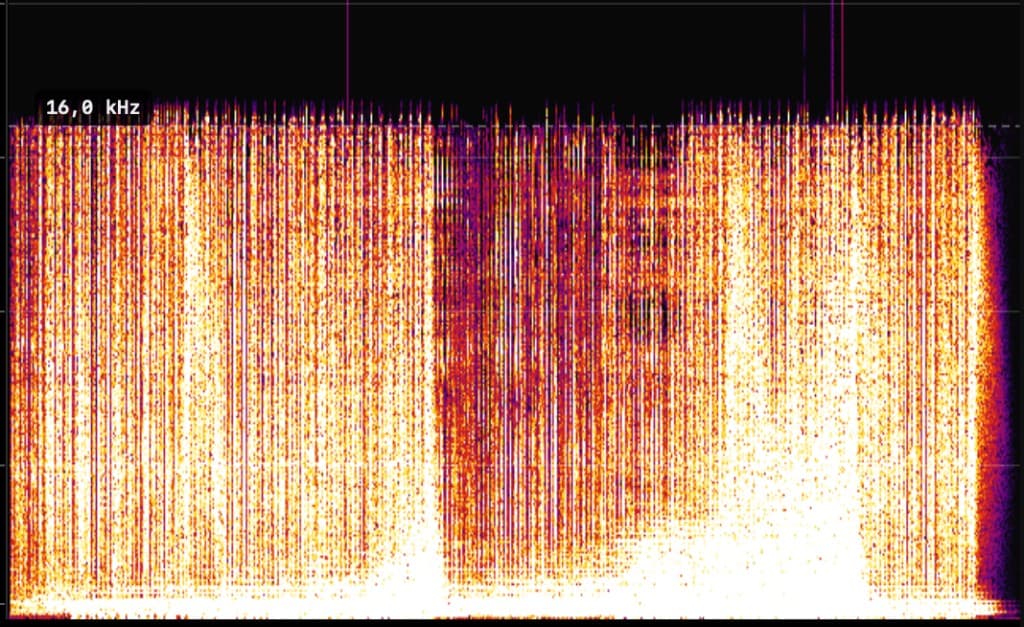
FAKE: hard cutoff at 16 kHz. The file was encoded as MP3 before being saved as WAV or AIFF.
Fake lossless checker for Mac
The Mac workflow for fake lossless: Spectro batch-scans WAV, AIFF, FLAC, MP3, AAC, Ogg Vorbis, and Opus offline and returns automatic LOSSLESS / FAKE / MEDIUM verdicts before Serato or Rekordbox USB export.
In short
A fake lossless checker for Mac finds MP3 or AAC audio hiding in WAV, AIFF, or FLAC containers. Spectro does that locally: drop a folder, get a LOSSLESS / FAKE / MEDIUM verdict per track, then tag or replace files before USB export. For FLAC-only authenticity, use the fake FLAC detector. For a generic Mac checker across formats, use the lossless audio checker.
100 tracks free. Personal $24.99 for 1 Mac; Duo $39 for up to 2 Macs. One-time purchase.
Yes. Spectro analyzes spectral content, not file extensions. So it works equally well on WAV, AIFF, and FLAC. A fake FLAC file (a FLAC container wrapping an MP3 or AAC source) shows the same hard frequency cutoff as a fake WAV. Spectro reads this pattern and flags the file as FAKE regardless of what the extension says.
This matters because FLAC's reputation as a "lossless format" leads many DJs to trust FLAC files without checking. In practice, any lossy audio can be re-wrapped in a FLAC container. Spectro's verdict is based on the frequency data inside the file. Not on trust.
Fake lossless files have a hard cutoff in the 16–20 kHz range. The fingerprint of MP3 encoding. Spectro reads this pattern automatically.
FAKE: hard cutoff at 16 kHz. The file was encoded as MP3 before being saved as WAV or AIFF.
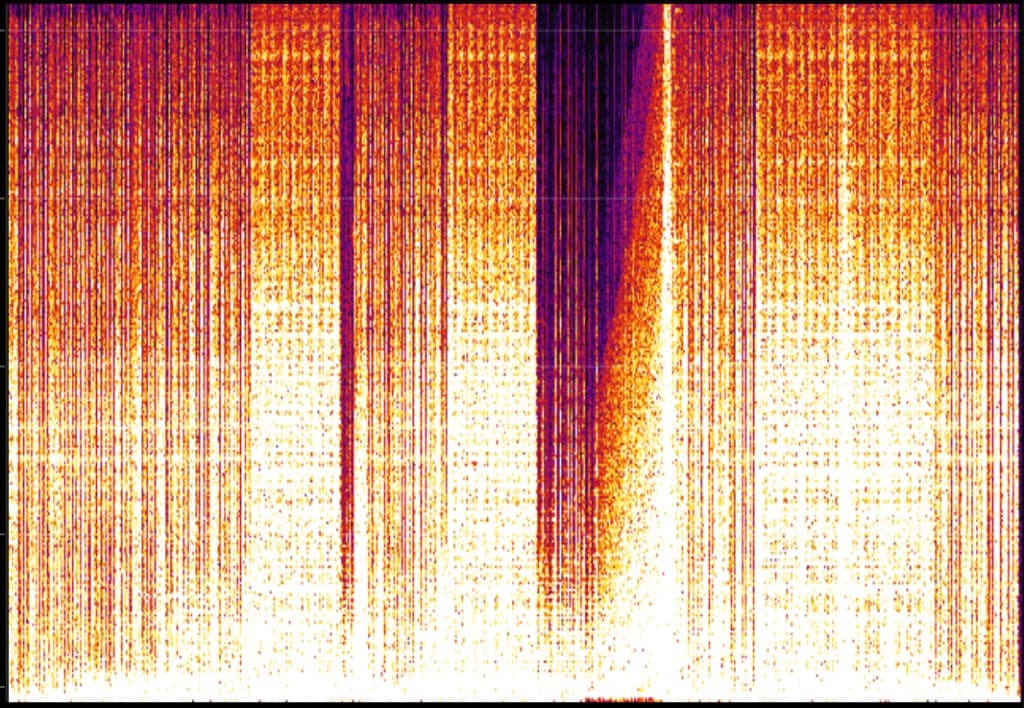
LOSSLESS: frequency energy extends to near Nyquist with no artificial cutoff.
Use a native Mac app that batch-scans folders offline. Spectro returns LOSSLESS, FAKE, or MEDIUM per track from spectral cutoff analysis, then you can apply Finder tags and replace files before Rekordbox or Serato export. You do not need to upload files or read every spectrogram by hand.
It analyzes the frequency spectrum of the file and looks for the cutoff fingerprint. The point where high-frequency energy disappears. A WAV file converted from a 128 kbps MP3 will show a hard cutoff around 16 kHz. A genuine lossless recording has energy all the way to Nyquist (22 kHz for 44.1 kHz files).
Related, but not the same page. This landing is the Mac fake-lossless workflow across WAV, AIFF, and FLAC. The fake FLAC detector is for FLAC authenticity specifically. The lossless audio checker is the generic Mac checker for mixed formats.
MEDIUM means the file has a higher-quality lossy profile. Typically a 256–320 kbps MP3 in a lossless container. It's not a clean lossless file, but the quality degradation is less severe. Spectro gives you the cutoff readout so you can decide whether to replace it.
The known ambiguous case is 256 kbps CBR vs. high-quality VBR MP3. Both show a cutoff around 19–20 kHz and are spectrally similar. Spectro flags this explicitly in the diagnosis panel so you can make an informed decision.