 Spectro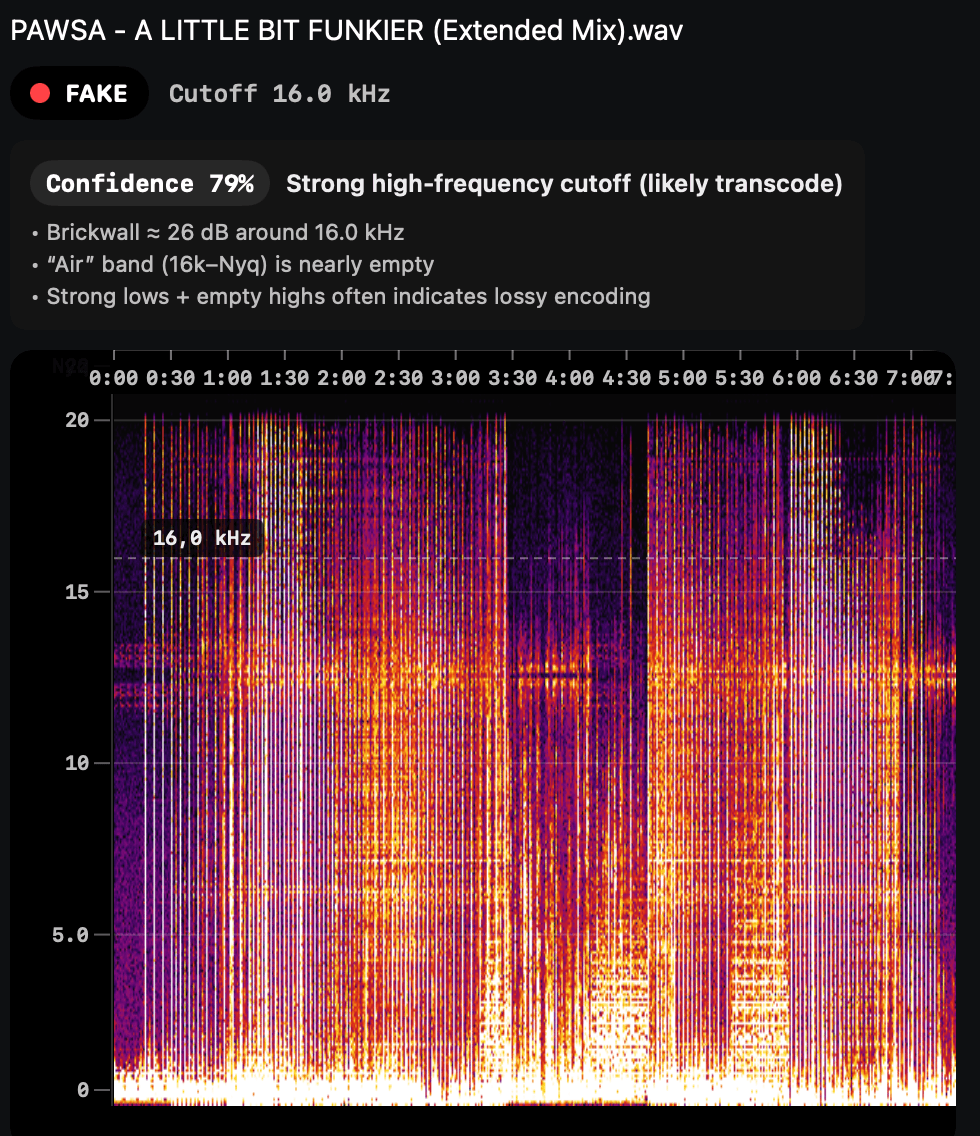
Typical transcode pattern: hard cutoff around 16 kHz and weak upper band.
Rekordbox file check
Spectro is not a Rekordbox troubleshooting tool. It checks the audio files on your Mac before you import them: import Rekordbox XML or drop a folder, flag fake lossless, then export to USB knowing every track was verified.
100 tracks free. Personal $24.99 for 1 Mac; Duo $39 for up to 2 Macs. One-time purchase.
Rekordbox reads file metadata: name, BPM, key, duration, and file type as declared in the header. If a file says WAV, Rekordbox treats it as WAV. It has no mechanism for spectral analysis and won't flag a file that was transcoded from MP3 before being saved as WAV.
Spectro reads the actual frequency content of the file. The same information a trained ear would use to evaluate audio quality on a spectrogram. The detection method is backed by peer-reviewed research (D'Alessandro & Shi, ACM MM&Sec 2009) with 99% accuracy across 2,512 songs in a controlled test.
Spectro highlights obvious cutoff behavior and high-frequency continuity, so you can spot transcodes quickly.
Typical transcode pattern: hard cutoff around 16 kHz and weak upper band.
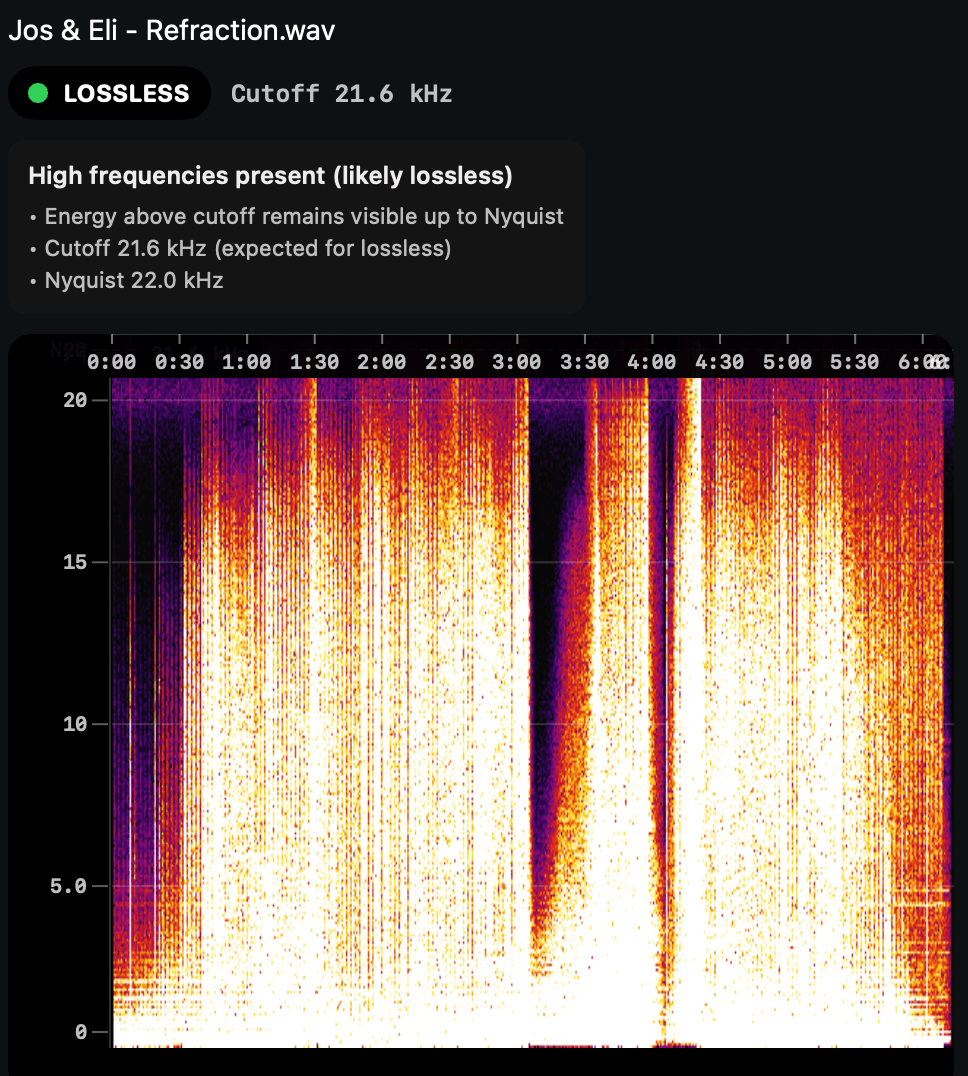
Lossless profile: high-frequency energy remains visible near Nyquist.
No. Spectro is an independent macOS app that complements your Rekordbox workflow.
No. Spectro analyzes files and can write Finder tags; your DJ software database remains separate.
Yes. Spectro is source-agnostic and works as a quality gate before any DJ software export.
Spectro's spectral analysis is based on peer-reviewed research (ACM MM&Sec 2009) that achieved 99% accuracy on transcoding detection across 2,512 songs. The only known ambiguous case is 256 kbps CBR vs. high-quality VBR MP3, which Spectro flags explicitly in the diagnosis panel.
Run a free batch on your upcoming set files and check how many tracks need replacement before export.
Rekordbox is a trademark of its respective owner. Spectro is independent and not endorsed by or affiliated with Rekordbox/AlphaTheta.