 Spectro
Spectro Team · April 30, 2026 · 4 min read
Is Your Traxsource Download Actually Lossless?
Traxsource sells WAV and AIFF downloads labeled as lossless. But are they always genuine? Here's how to verify any Traxsource file and what the DJ community has found.
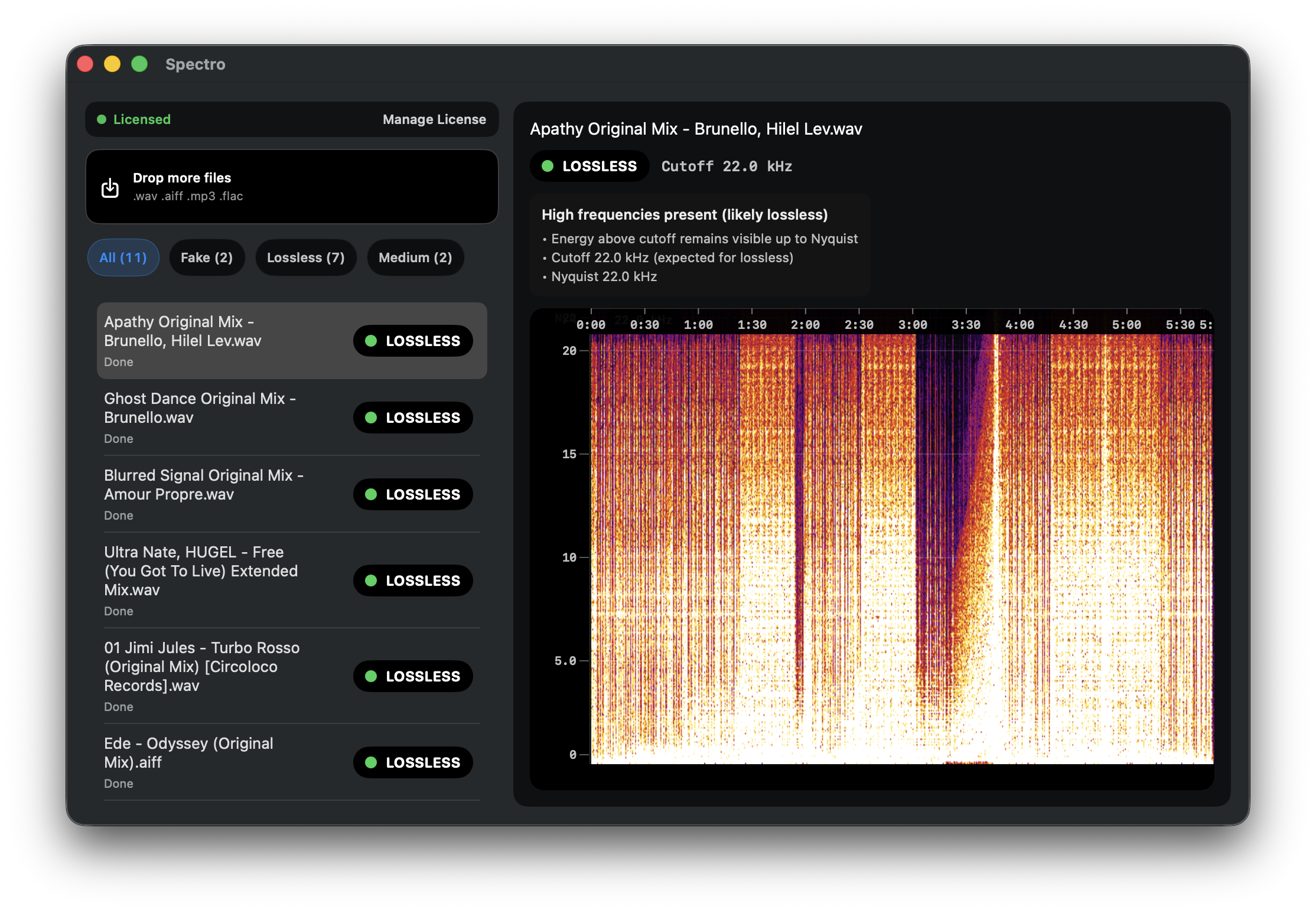
Quick Answer: Traxsource WAV and AIFF downloads are generally reliable, but not guaranteed lossless. The platform serves a high volume of independent house, techno, and soul releases. Quality depends on what the label or distributor submitted. Transcoding can enter at any point before the file reaches you. The only way to verify is to check the frequency spectrum directly.
Traxsource is one of the most important download stores for DJs who work in house, techno, disco, and soul. Its catalog is deep in genres that Beatport covers less thoroughly, and its WAV downloads are sold as lossless. For DJs building quality libraries in these genres, understanding Traxsource's actual quality reliability matters.
How does Traxsource handle audio quality?
Traxsource accepts uploads from labels and distributors through a standard ingest process. Like most digital stores, it relies on the submitting party to provide genuine lossless masters. The platform does not perform spectral analysis on every upload to verify that WAV files contain genuinely lossless audio. No major store does at scale.
This means the quality of a Traxsource WAV download is ultimately determined by what the label submitted. Major labels and established independents generally submit clean lossless masters. Smaller labels, one-person operations, and releases uploaded through aggregators are more variable.
Where can transcoding enter the chain?
The distribution path for a typical Traxsource release runs: artist → label → distributor → Traxsource. At any step, a conversion can happen:
At the label. Some smaller labels master their releases in lossy formats for streaming and convert to WAV for store submission, not realizing the conversion adds nothing.
At the distributor. Automated ingest pipelines at distributors sometimes apply format conversions. A file that enters the pipeline as high-quality MP3 can exit as WAV with no flag raised.
At the store. Less common, but stores occasionally apply their own format standardization during ingest.
The result: a file sold as WAV on Traxsource can contain audio that was lossy at the source. Nobody in the chain deliberately introduced the problem. It happens through automated systems and inconsistent quality standards.
What has the DJ community found about Traxsource quality?
Anecdotally, Traxsource's quality reputation is broadly positive. Particularly for releases from established house and techno labels. The platform has a loyal following among genre-focused DJs who compare notes on quality, and major quality issues with well-known labels tend to surface quickly in community forums.
The risk is higher with smaller releases, older catalog items re-uploaded by new distributors, and releases that went through multiple hands before reaching the store. A deep cut from a small Chicago house label uploaded by a third-party aggregator carries more uncertainty than a new release from a recognized imprint.
How do you verify a Traxsource download?
Verification works the same way regardless of which store you bought from. After downloading, analyze the file's frequency spectrum:
Manual method: Open the file in Spek or a similar spectrogram viewer. Look at the frequency content above 15 kHz. Genuine lossless audio has energy that gradually rolls off toward 22 kHz. A fake lossless file shows a hard flat cutoff. A dark wall at the frequency where the original lossy encoder stopped.
Automated method: Drag the file or your download folder into Spectro. Each file receives a LOSSLESS, FAKE, or MEDIUM verdict automatically. For a full crate of new Traxsource purchases, a batch scan takes under five minutes.
The file extension and purchase confirmation tell you nothing about spectral content. Only the spectrogram does.
What does a MEDIUM result mean for a Traxsource file?
MEDIUM means the file's frequency cutoff falls in the ambiguous zone. Around 19–20 kHz. Where Spectro cannot reliably distinguish a 256 kbps CBR encode from a high-quality VBR or a lossless file with intentional HF roll-off in the mastering.
For Traxsource purchases from established labels, MEDIUM is usually clean. For less certain sources, MEDIUM warrants a second look. Compare the file against another track from the same label or release if possible.
Should you verify every Traxsource download?
If you are building a library for regular club use, yes. At least for new purchases from unknown labels and any deep catalog digs. Running a batch scan before adding tracks to your DJ library takes minutes and removes uncertainty from your workflow permanently.
For more on how the detection method works, see How to Detect Fake Lossless Audio Files on Mac. For comparison with Beatport's quality track record, see Is Your Beatport Download Actually Lossless?.
Related posts
Try Spectro free
100 tracks free. No account needed. Personal $24.99 for 1 Mac; Duo $39 for up to 2 Macs.
Download the free 100-track trial