 Spectro
Spectro Team · April 30, 2026 · 4 min read
Why Fake FLAC Still Exists in DJ Libraries in 2026
Fake lossless audio has been a known problem for over a decade. Here's why it still exists, how it keeps entering DJ libraries, and what the distribution chain looks like from the inside.
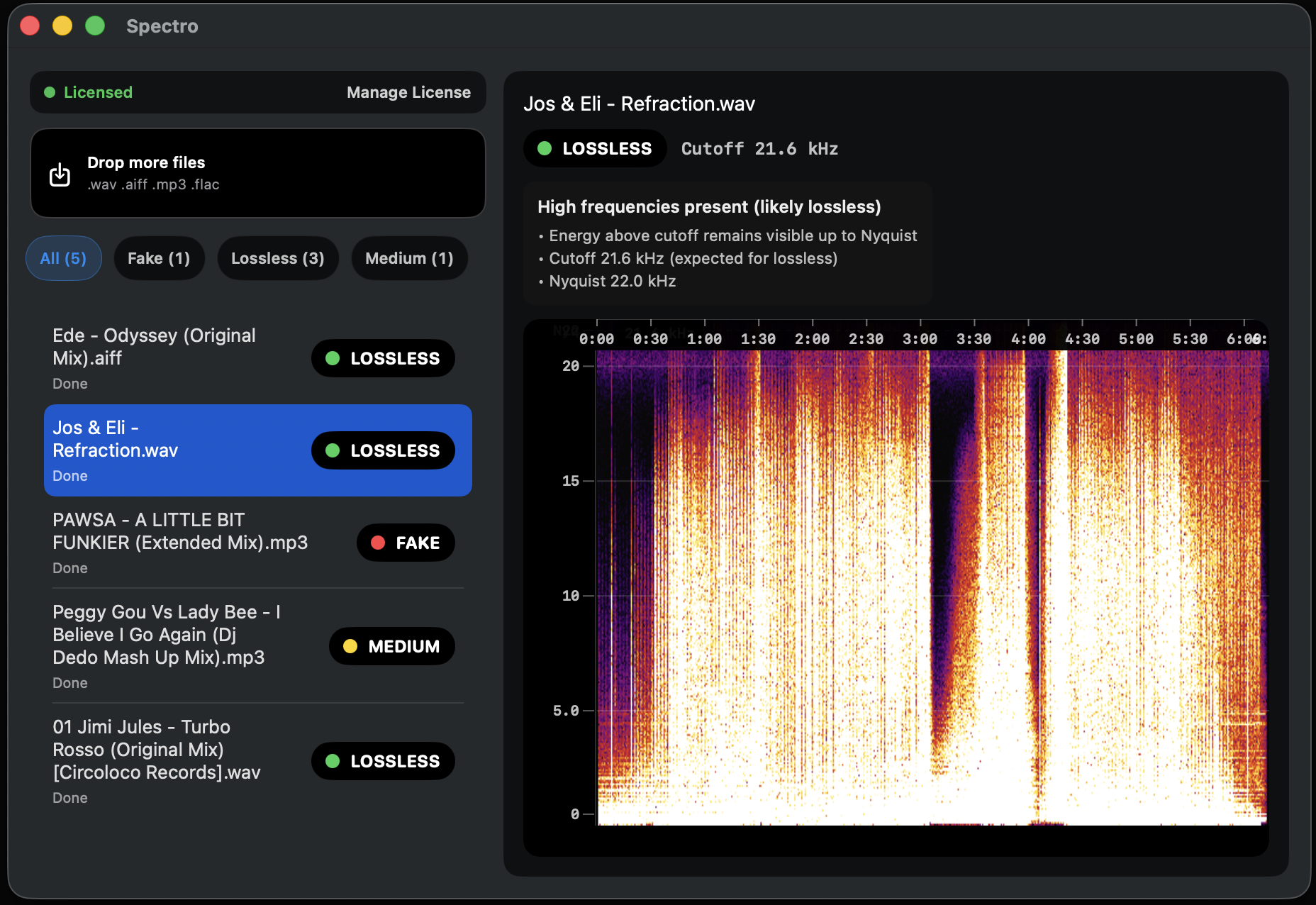
Quick Answer: Fake FLAC and fake WAV persist in 2026 because the distribution chain between an artist and a DJ has four to six steps, each of which can introduce a silent format conversion. No step in the chain. Label, distributor, store, or record pool. Performs spectral verification at scale. The problem is structural, not intentional.
Fake lossless audio has been documented for well over a decade. Detection tools have existed for years. DJ forums have discussed the problem at length. Yet in 2026, fake WAV and fake FLAC files continue to appear in DJ libraries regularly. Understanding why requires looking at the distribution chain honestly.
Why hasn't the problem been fixed?
The short answer: fixing it would require every participant in a multi-step chain to add a quality verification step they currently don't have, for a problem that most participants don't directly experience.
Labels don't play their tracks on club systems. Distributors move files at volume. Stores rely on labels to submit correct files. Record pools rely on distributors to deliver clean masters. DJs are at the end of the chain. They are the ones who actually hear the problem, but by then it has already propagated through multiple systems.
What does the distribution chain actually look like?
A typical path from studio to DJ library:
Artist → Label. The artist delivers a master, usually a WAV or AIFF at 24-bit/44.1 kHz or higher. Quality at this stage is usually good if the artist is working in a proper DAW and knows what they are doing.
Label → Distributor. Labels deliver masters to distributors who handle placement across stores and platforms. Some distributors apply format standardization. Converting everything to a uniform spec. If that spec involves transcoding, the damage happens here. Most distributors have improved their pipelines, but legacy processes at smaller operations still introduce errors.
Distributor → Store. Stores like Beatport, Traxsource, and Bandcamp receive files from distributors. They perform basic format validation but not spectral quality verification. A WAV file that passes format checks is accepted as lossless.
Store or Distributor → Record Pool. Record pools are often downstream of the distribution chain rather than connected directly to labels. They receive what distributors send, which may already be several conversions away from the original master.
Record Pool → DJ. The DJ downloads and imports. At no point in this chain did anyone check the frequency spectrum.
Why don't stores and pools verify spectral quality?
Spectral analysis at scale requires meaningful processing time per file. For a store receiving thousands of new releases per week across hundreds of labels in dozens of formats, adding a per-file spectral verification step would require significant infrastructure investment for a problem that affects a fraction of uploads and that end users rarely report back formally.
The economics do not create pressure to solve it. DJs who notice quality problems on a club system rarely trace the issue to a specific file and file a formal complaint with the store. The feedback loop that would motivate stores to act is largely absent.
What role do automated pipelines play?
A significant proportion of music now enters the distribution chain through aggregators. Platforms like DistroKid, TuneCore, and CD Baby that allow independent artists to distribute to all stores with minimal friction. These platforms handle enormous volume with minimal manual oversight.
An independent artist who uploads an MP3 master accidentally (or a WAV that was rendered from an MP3 in their DAW) will have that file distributed to Beatport, Traxsource, Spotify, and every connected record pool automatically. The error propagates instantly across the entire distribution network.
What can DJs do about it?
The only reliable solution is verification at the point of consumption. By the DJ, before the file enters the active library. The distribution chain will not fix this problem because the incentives to do so are weak. But the DJ can fix it in their own library with a ten-minute batch scan.
This is exactly the problem Spectro is built to solve. For how to run a scan on your existing library, see How to Detect Fake Lossless Audio Files on Mac. For what fake lossless looks like and why it enters libraries, see What Is Fake Lossless Audio?.
Related posts
Try Spectro free
100 tracks free. No account needed. Personal $24.99 for 1 Mac; Duo $39 for up to 2 Macs.
Download the free 100-track trial