 Spectro
Spectro Team · April 15, 2026 · 7 min read
What Is Fake Lossless Audio? A Guide for DJs
Your WAV files might not be lossless. Here's what fake lossless audio is, why it ends up in DJ libraries, and what you can do about it.
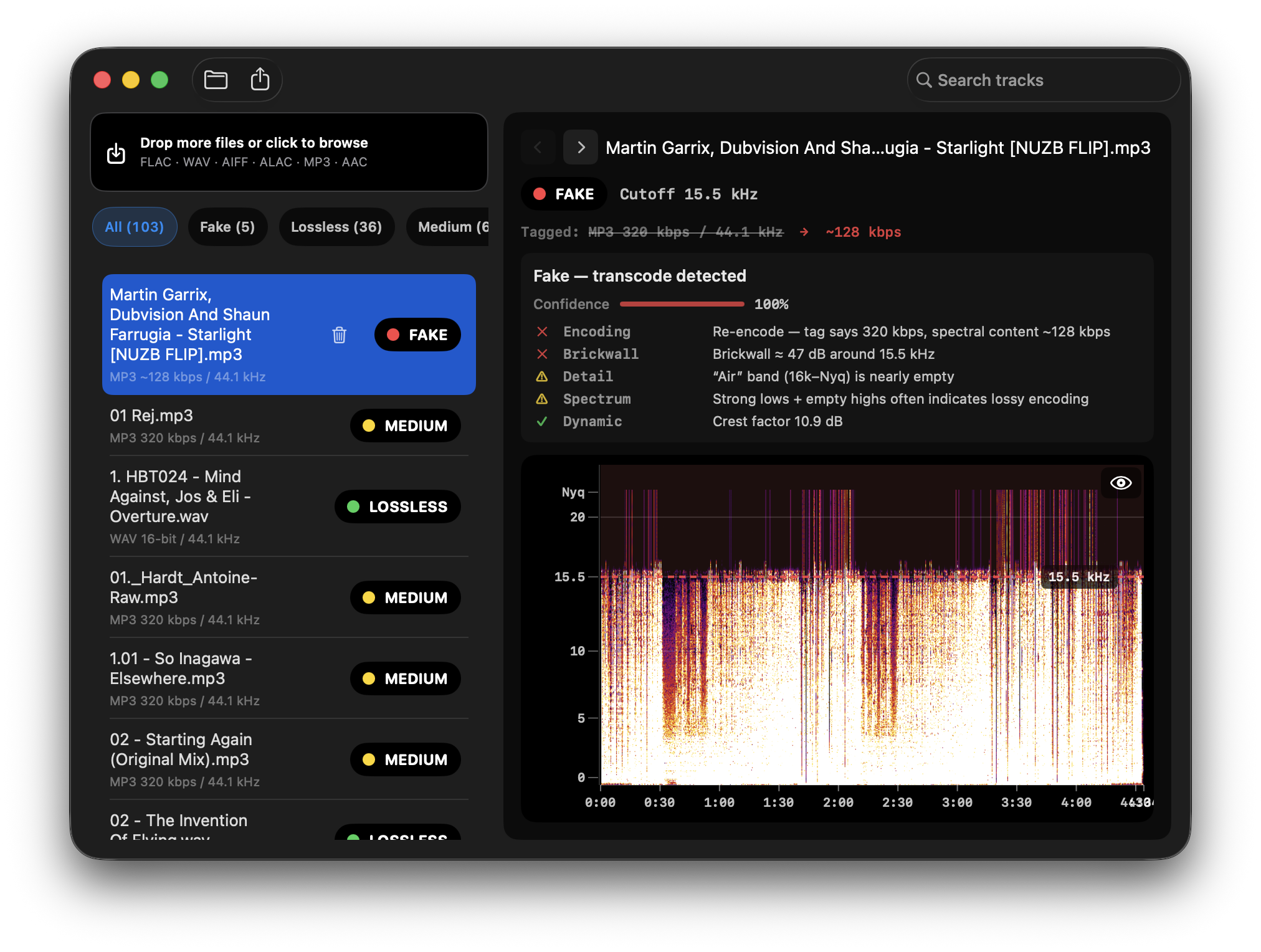
Quick Answer: Fake lossless audio is a WAV, AIFF, or FLAC file whose audio was originally encoded as MP3 or another lossy format. The container is lossless, but the audio inside has already been permanently degraded. Converting a lossy file to a lossless container doesn't recover anything, it just changes the packaging.
If you buy music from digital stores or download files from online sources, some of those WAV and AIFF files in your library might not be what they claim to be. The format says lossless. The file size looks right. But the audio inside was compressed at some point - and the quality loss is permanent.
This is called fake lossless audio, and it's more common than most DJs realize.
What does lossless actually mean?
Audio formats fall into two categories:
Lossy formats - MP3, AAC, OGG - compress audio by permanently removing frequency information that psychoacoustic models deem "inaudible." The result is a smaller file that sounds similar but is objectively different from the original. Once audio is encoded as MP3, the removed information cannot be recovered.
Lossless formats - WAV, AIFF, FLAC - store audio without any perceptual compression. A lossless file is a perfect representation of the original recording. FLAC uses mathematical compression (like ZIP for audio) that is fully reversible. WAV and AIFF are uncompressed, meaning the file contains the raw PCM audio data. For how these formats compare in practice for DJs, see FLAC vs WAV vs AIFF for DJs.
The distinction matters because audio quality is a one-way street. You can convert lossless to lossy (and lose quality), but you cannot convert lossy to lossless and recover what was lost. A 128kbps MP3 converted to WAV is still 128kbps MP3 quality - just in a bigger container.
What makes a lossless file fake?
A fake lossless file is one where the container is lossless (WAV, AIFF, or FLAC) but the audio inside was sourced from a lossy file. The conversion adds nothing - it just changes the packaging.
This happens in several ways:
Automated conversion workflows. Some distributors or store backends transcode audio automatically when fulfilling download requests. A mastering engineer delivers WAV files; somewhere in the delivery pipeline, those files pass through a format conversion that introduces lossy encoding. The output looks like a WAV but isn't. MP3 Disguised as WAV shows what that looks like visually.
Manual transcoding. Someone converts their MP3 library to FLAC because they think it improves quality (it doesn't), or to save space (lossless formats aren't smaller than MP3), or to satisfy a media player that prefers FLAC. The resulting files are fake lossless.
Bad sources. Some download stores have historically sold files mislabeled as lossless. The file extension says WAV, the store says "lossless," but the audio was never lossless to begin with. For a detailed look at how major DJ stores handle lossless delivery, see Is Your Beatport Download Actually Lossless?.
File sharing. Music passed between DJs, uploaded to file-sharing platforms, or distributed through unofficial channels often gets transcoded at some point in the chain - sometimes without anyone noticing.
Why does fake lossless audio matter for DJs?
In casual listening, many people can't distinguish 320kbps MP3 from genuine lossless audio. The differences are subtle and system-dependent.
In a club environment, they're more significant:
High-SPL playback. Club systems push audio at volumes and through drivers that expose artifacts that consumer playback obscures. Compression artifacts in MP3 files - the smearing in fast transients, the pumping on dense low-end material - can become noticeable at high volumes.
Post-processing. Club systems apply EQ, limiting, and speaker processing. These processes interact with the audio signal, and lossy compression artifacts can be amplified by downstream processing.
Your own ears, amplified. You notice things in a club mix that you wouldn't on headphones. A harsh high end on one track or a dull thud where a kick should crack are the kinds of issues that fake lossless files introduce.
Beyond sound quality, there's a practical concern: if you're buying lossless files and paying lossless prices, you should receive lossless files.
How widespread is the problem?
Anecdotally, among DJs who have audited their libraries, fake lossless files are not rare. Rates vary by source - files purchased directly from Bandcamp or Beatport at full quality tend to be genuine. Files from less careful distributors, aggregators, or secondary sources show higher rates of transcoding.
The exact prevalence is hard to quantify because most DJs have never checked. The tools to do so have historically been technical (command-line utilities, manual spectrogram reading), which puts the check out of reach for many people.
How can you tell if a file is fake lossless?
The definitive test is a spectrogram analysis. Lossy encoding removes high-frequency content, so a fake lossless file will show a hard cutoff in the spectrogram - a flat, dark region above approximately 16-20 kHz (depending on the bitrate of the original encoding).
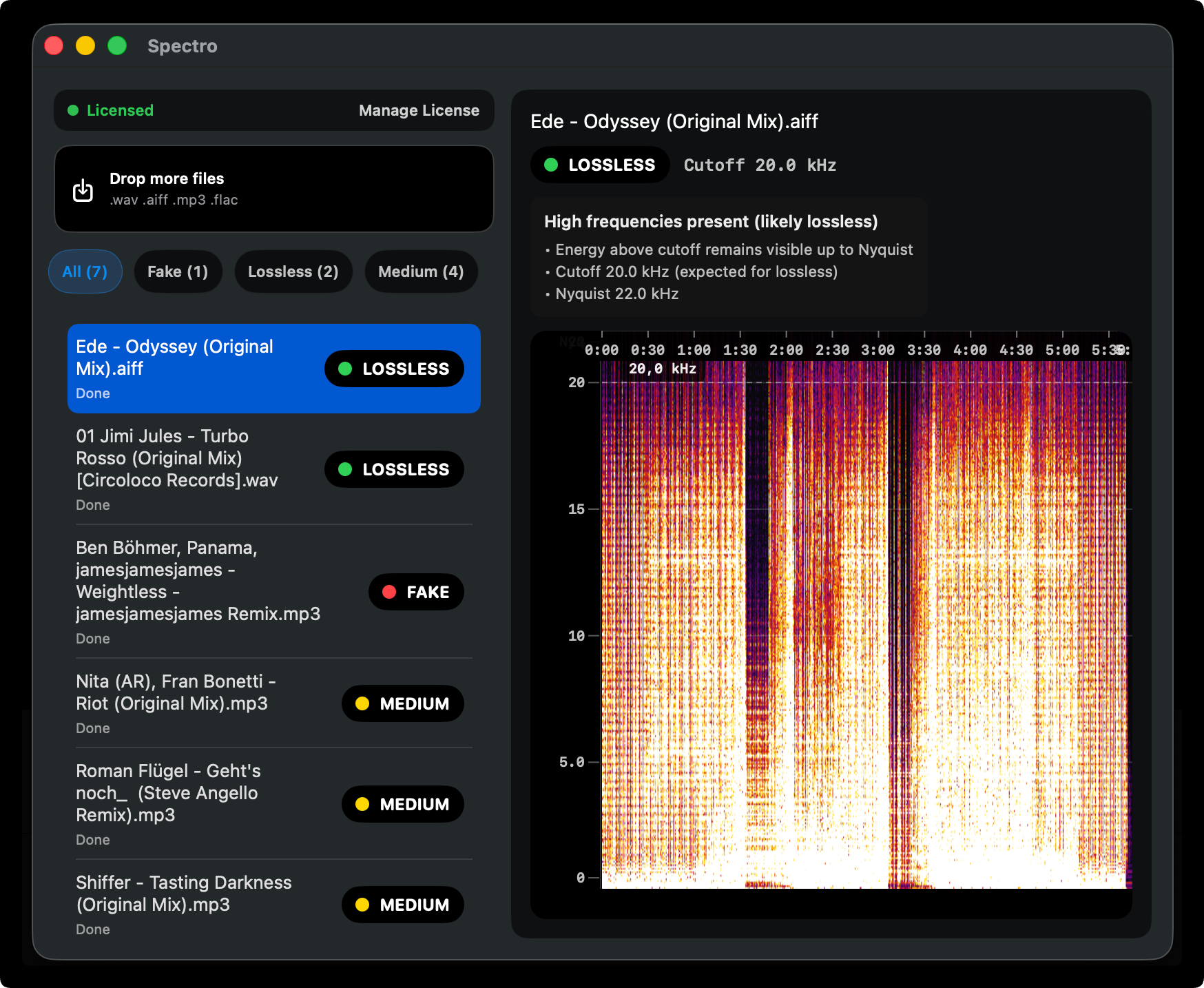
Real lossless files show frequency content extending naturally toward the Nyquist limit (22 kHz for CD-quality audio) with a gradual rolloff, not a hard cutoff.
You can check files manually using free tools like Sonic Visualiser, but for a library of any size, that process takes a long time. For a step-by-step guide on reading spectrograms and using both manual and automatic methods, see How to Detect Fake Lossless Audio Files on Mac.
fake lossless checker for Mac is a macOS app built specifically to automate this check. Drop your library in, and it returns a verdict for each file - LOSSLESS, FAKE, or MEDIUM - based on spectral analysis. It takes seconds per file instead of minutes, and works on batches of hundreds of tracks at once.
The free trial covers 100 tracks - enough to get a sense of whether your library has a problem. Paid plans start at $24.99: Personal for 1 Mac or Duo for up to 2 Macs at $39.
What should you do if you find fake lossless files?
If you discover fake lossless files in your library, your options depend on where the files came from:
Purchased from a store: Contact the store. If they sold files labeled as lossless that are actually transcoded, you may be entitled to a replacement or refund. Stores like Beatport and Bandcamp take this seriously.
Downloaded from secondary sources: Replace them from a legitimate lossless source. There's no way to recover the quality.
Your own conversions: If you converted your own MP3 library to FLAC thinking it would improve quality, convert it back to MP3 or keep the FLAC knowing it's equivalent quality. Don't delete the originals.
How common is fake lossless audio in DJ libraries?
Fake lossless is a supply chain problem. Audio passes through many hands between the original recording and your USB drive, and any step in that chain can introduce lossy encoding. Most of the time nobody checks.
The good news is that checking is now straightforward. A one-time audit of your library - and a quick check on new purchases when something seems off - is enough to keep your collection clean.
Related posts
Try Spectro free
100 tracks free. No account needed. Personal $24.99 for 1 Mac; Duo $39 for up to 2 Macs.
Download the free 100-track trial