 Spectro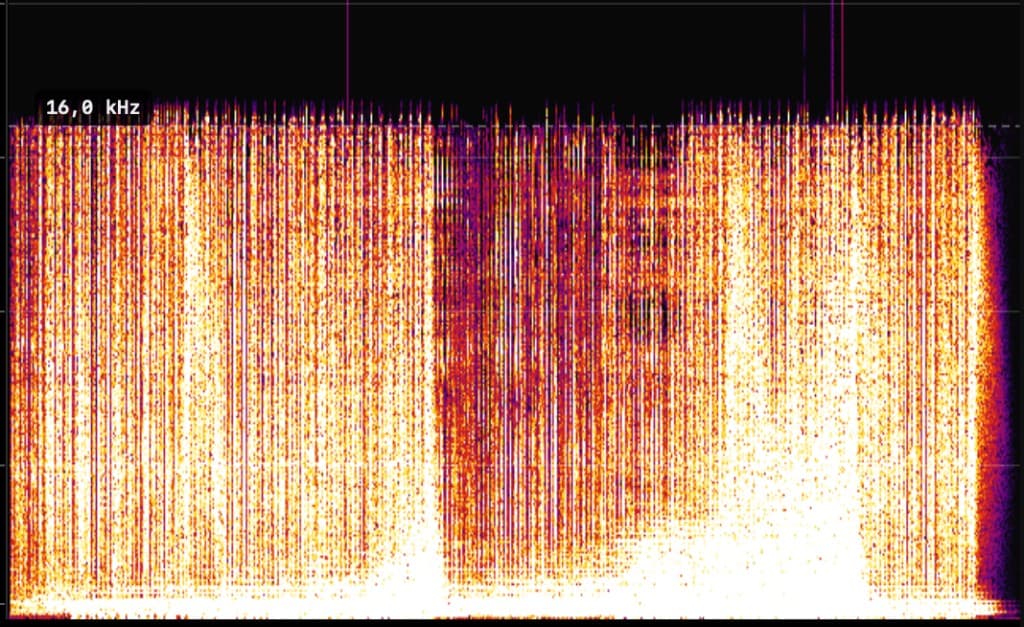
FAKE: hard cutoff at 16 kHz. Consistent with a lower-bitrate lossy source re-wrapped as FLAC.
Fake FLAC detector Mac
Looking for a fake FLAC detector on Mac? Spectro batch-scans FLAC (and WAV/AIFF) offline and returns automatic LOSSLESS / FAKE / MEDIUM verdicts when a file was re-encoded from MP3 or AAC.
In short
Fake FLAC detector Mac: Spectro detects FLAC re-encoded from a lossy source by reading the spectral cutoff, then returns an automatic LOSSLESS / FAKE / MEDIUM verdict in batch. Offline on your Mac. Detection is backed by peer-reviewed research (ACM MM&Sec 2009) with 99% accuracy across 2,512 songs. Use Spek only as secondary visual verification for MEDIUM files.
100 tracks free. Personal $24.99 for 1 Mac; Duo $39 for up to 2 Macs. One-time purchase.
FLAC is a lossless container: it does not throw away audio when you store data in it. But the audio inside can still come from a lossy encode. Re-wrapping an MP3 or AAC as FLAC does not restore highs that were discarded. It only changes the file format. That is what people mean by a "fake" FLAC: valid FLAC on disk, lossy content underneath.
You cannot trust the extension alone. Spectro looks at the spectrum, where energy stops, not at the filename.
Spectro runs spectral analysis (FFT) on the decoded audio. A genuine lossless capture tends to show energy extending toward Nyquist. A file transcoded from MP3 or AAC shows a hard cutoff at the encoder's brick-wall frequency. The same pattern as a fake WAV, whether the container is FLAC or not.
FAKE: hard cutoff at 16 kHz. Consistent with a lower-bitrate lossy source re-wrapped as FLAC.
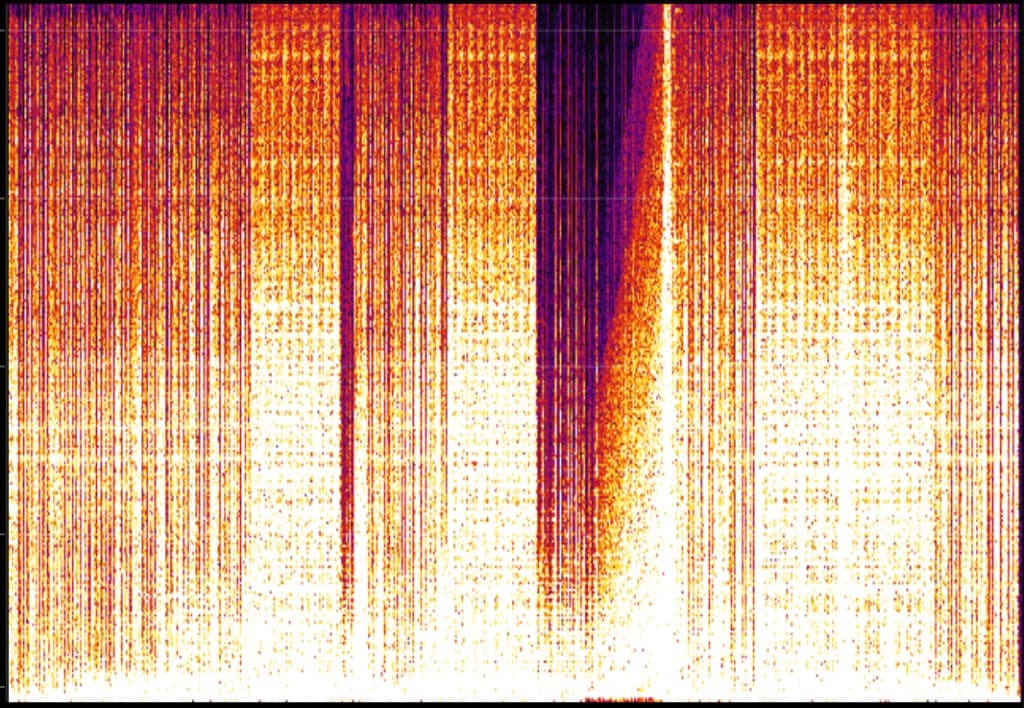
LOSSLESS: energy extends naturally. What you want from a real lossless source.
Spectro analyzes the frequency spectrum of each FLAC file. A genuine lossless FLAC recording has energy extending cleanly to near Nyquist (around 22 kHz for 44.1 kHz files). A fake FLAC (a FLAC file re-encoded from a lossy source like MP3 or AAC) shows a hard cutoff at the original encoder's frequency limit, typically 16–20 kHz. Spectro reads this pattern and returns a FAKE verdict automatically.
Yes. FLAC is a lossless container format, but the audio data inside it can come from a lossy source. A common case is re-encoding an MP3 to FLAC. The resulting file is a valid FLAC but contains lossy audio. Spectro detects this by analyzing the spectral content, not the file extension.
Yes. Many download stores and record pools distribute FLAC files that were derived from lossy masters. Beatport, Bandcamp, and promo pools have historically shipped fake lossless files. Often without knowing. Spectro batch-scans your entire library and flags each file individually.
Yes. Spectro is a native Universal Binary. It runs natively on both Apple Silicon (M1, M2, M3, M4) and Intel Macs. No Rosetta emulation required.